
How to Get Fonepay Dynamic QR API Credentials for Your Business in Nepal
Nepzio team ·
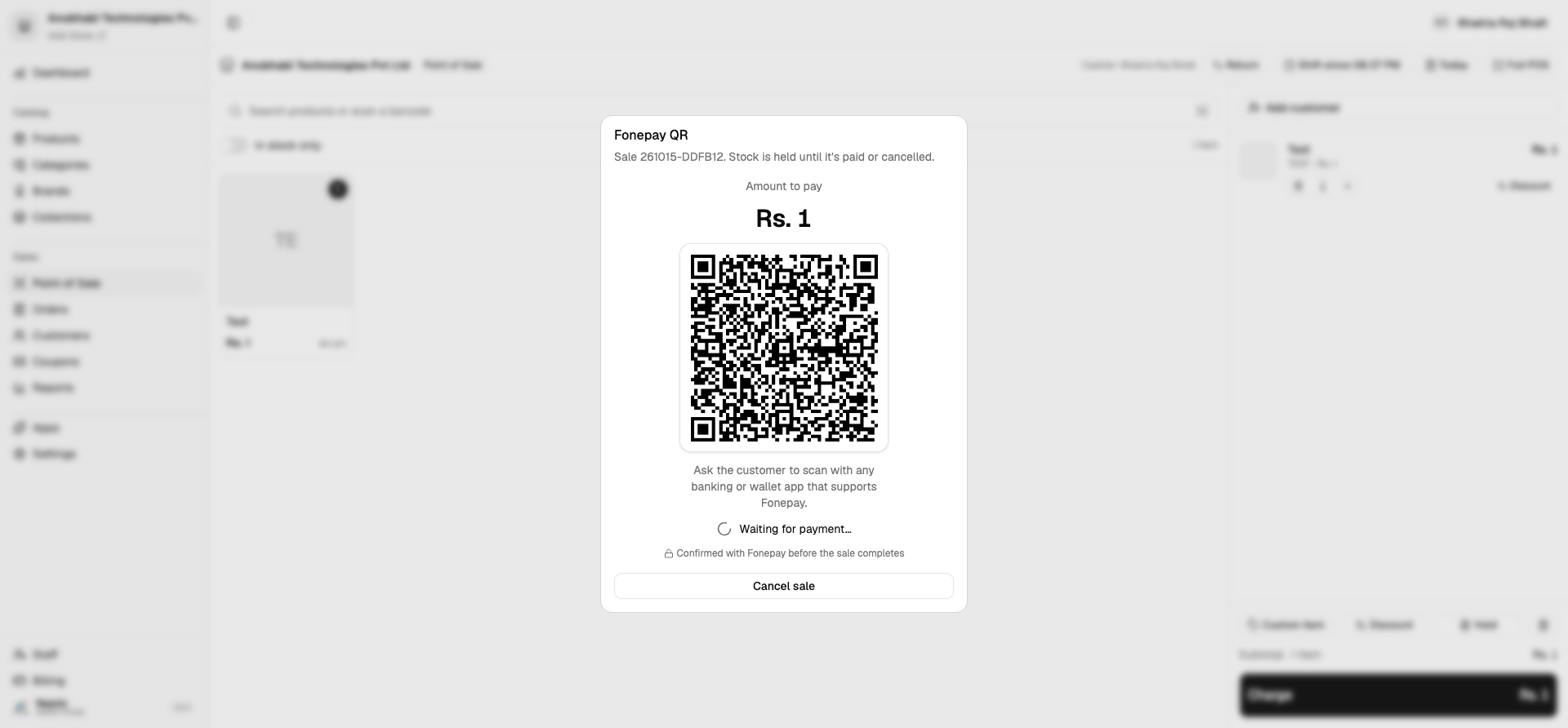
Digital payments are becoming an essential part of doing business in Nepal. Whether you operate a retail shop, supermarket, restaurant, or e-commerce business, integrating Fonepay Dynamic QR payments into your POS or online store can make collecting payments easier and more efficient.
The good news is that businesses may be able to obtain the required integration credentials through their bank without developing a separate payment collection arrangement from scratch.
In this guide, we explain how to request Fonepay Dynamic QR API integration through your bank, what credentials you may receive, and how to write an application to get started.
What Is Fonepay Dynamic QR Integration?
Fonepay Dynamic QR integration allows a business's software to generate a QR code for an individual transaction.
Unlike a static QR code, where customers may need to enter the amount manually, a dynamic QR code can contain transaction-specific payment information, such as the amount payable and a transaction reference.
For example, when a customer purchases products worth Rs. 2,500 from a shop:
The cashier creates the bill in the POS system.
The system requests a payment QR code through the integrated payment API.
The customer scans the QR code using a supported mobile banking app.
The customer authorizes the payment.
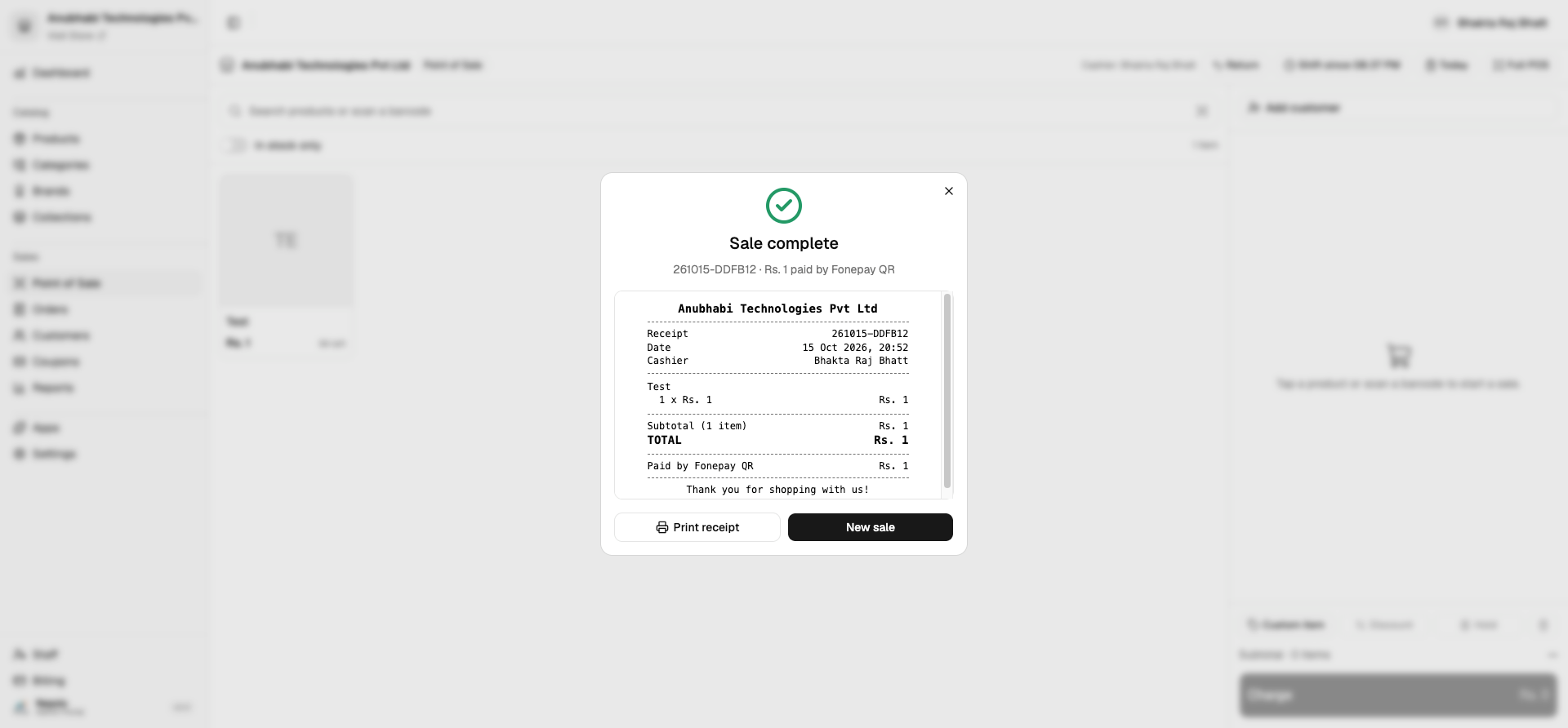
The merchant's system checks the transaction status and updates the bill accordingly.
This can reduce manual payment entry and make payment reconciliation easier.
Who Can Apply for Fonepay Dynamic QR API Integration?
Businesses that want to integrate QR payments into their own software can contact their bank to ask about the available merchant integration process.
Potential applicants include:
Retail shops and supermarkets
Restaurants, cafés, and hotels
E-commerce businesses
POS software providers
ERP and accounting software providers
Businesses developing custom payment-enabled applications
You should have a suitable bank account and meet the bank's merchant onboarding and technical integration requirements. The exact eligibility criteria and required documents may vary by bank and integration arrangement.
How to Get Fonepay Dynamic QR API Credentials
The process generally involves the following steps.
Step 1: Contact Your Bank
Contact the branch where your business maintains its bank account. Ask the bank about Fonepay Dynamic QR API integration for your business software or POS system.
Explain that you want to generate transaction-specific QR codes directly from your software rather than use only a static QR code.
Step 2: Submit an Application
Prepare an application on your company's letterhead addressed to the branch manager.
Include your company details, bank account information as requested by the bank, the purpose of the integration, and the name of the software or product in which you intend to use the integration.
The bank may ask for additional documents, such as company registration, PAN/VAT registration, identification documents, or merchant onboarding forms.
Step 3: Complete the Bank's Requirements
The bank will review your request and explain the applicable onboarding process.
Depending on the arrangement, you may need to complete a merchant agreement, technical application, or other compliance requirements.
Step 4: Obtain the Integration Credentials
Once approved, the bank or its designated integration team may provide credentials and technical documentation required for the integration.
Depending on the API arrangement, these may include:
Merchant Code or Merchant ID
API Key or other authentication credentials
Username
Password
API endpoints and technical documentation
Important: The exact credentials and authentication method depend on the integration provided to your business. Not every integration necessarily uses all the credentials listed above.
Step 5: Integrate and Test the API
Your development team can use the supplied documentation to integrate the payment service into your POS, ERP, or e-commerce platform.
Before going live, confirm the supported testing process, transaction verification method, payment-status handling, refunds or reversals process, and settlement arrangements with your bank or integration provider.
Is Fonepay Dynamic QR Integration Free?
Businesses should distinguish between the cost of obtaining API access, the development cost of integrating the API, and any fees associated with payment transactions.
Some merchants may be eligible for a 0% transaction-charge arrangement, but this should not be assumed to apply universally.
Before proceeding, ask your bank to confirm in writing:
Whether there is an API setup or onboarding fee
Whether any transaction charges apply
Whether there are monthly or maintenance fees
How and when collected funds are settled
Whether any additional merchant conditions apply
Even if transaction charges are zero under your arrangement, your software development and maintenance costs may still apply.
Sample Application Letter to a Bank
You can adapt the following sample for your company and submit it to the branch where you maintain your business account.
[Print this application on your company's letterhead]
Date: [YYYY-MM-DD]
To,
The Branch Manager
[Bank Name]
[Branch Name]
[Branch Address]
Subject: Request for Fonepay Dynamic QR API Integration Credentials
Dear Sir/Madam,
We are writing on behalf of [Company Name], which maintains a business bank account with your branch.
We would like to integrate Fonepay Dynamic QR payment functionality into our [POS software / e-commerce platform / business application] to facilitate digital payments from our customers.
We kindly request your assistance in enabling the required merchant integration and providing the API credentials and technical documentation necessary for implementation.
We would appreciate your guidance regarding the required application forms, supporting documents, applicable charges, settlement arrangements, and any other formalities needed to complete the integration.
We are ready to provide the necessary company and bank account documents and comply with the bank's and Fonepay's applicable requirements.
We look forward to your support and guidance in this matter.
Thank you for your consideration.
Sincerely,
[Authorized Representative's Name]
[Designation]
[Company Name]
[Company Registration Number, if required]
[Contact Number]
[Email Address]
Company Stamp and Authorized Signature
What to Do After Receiving the Credentials
Receiving credentials is only the beginning. Your development team should carefully follow the bank's integration documentation and confirm the following before accepting live payments:
Authentication: Use the exact authentication method specified by the bank.
QR generation: Generate the QR code with the correct amount and transaction reference.
Payment verification: Confirm successful payment using the approved API or callback mechanism.
Security: Never treat a customer's screenshot or browser redirect alone as proof of successful payment.
Reconciliation: Match the payment reference against the corresponding invoice or order.
Credential protection: Store API secrets securely on the server. Never expose them in frontend code, public repositories, or customer-facing applications.
These practices help prevent incorrect payment confirmations and improve transaction reliability.
Frequently Asked Questions
1. Can I request Dynamic QR API access through my existing company bank account?
You can contact your bank and request the relevant merchant integration. Approval depends on the bank's onboarding requirements and the type of integration you need.
2. Will the bank provide the API credentials directly?
The bank or its designated integration team will explain how credentials are issued for your approved arrangement. Ask for the official technical documentation along with the credentials.
3. Is Dynamic QR different from a regular Fonepay QR code?
Yes. A static QR generally identifies the merchant, with the customer entering the payment amount where required. A dynamic QR is generated for a particular transaction and can include transaction-specific information.
4. Can I integrate Dynamic QR into my POS or e-commerce website?
Potentially, yes, if your approved integration supports your intended use case. Your software must implement the supported API flow and payment verification mechanism.
5. Is the service completely free?
Not necessarily. Transaction charges, setup fees, maintenance costs, and other conditions depend on your bank and merchant agreement. Confirm the applicable terms before implementation.
Conclusion
Fonepay Dynamic QR integration can help Nepali businesses streamline payment collection by connecting digital payments directly with their POS, e-commerce, or business management software.
If you want to implement this functionality, start by contacting your bank, submitting a formal application, and requesting the appropriate API integration documentation.
With the right integration, your business can make payment collection and reconciliation more convenient for both customers and staff.
Want to build an online store with integrated business tools?
Explore Nepzio to learn how you can manage your online business with digital tools designed for Nepali businesses.
Disclaimer: This article is for general informational purposes. It is not an official Fonepay or bank announcement. The availability of API access, required credentials, fees, eligibility, and integration procedures must be confirmed with your bank and Fonepay before proceeding.